

taqreer.aitaqreer.ai
vs
Copilot
Tested on the same brief

Copilot in PowerPoint for Arabic decks: how it compares with taqreer.ai

We gave Microsoft 365 Copilot and taqreer.ai the same launch-plan brief, in Arabic only and in Arabic with English, and compared the slides each one made. The screenshots are unedited.

Try taqreer.ai free

The short answer

Both tools make solid decks. The difference shows up in the right-to-left details.

Pick taqreer.ai if

  • Arabic is the main language of your deck, not a translation layer.
  • You need amounts, currency and percentages to read correctly inside Arabic text.
  • You want Arabic and English on the same slide, each aligned for its own direction.
  • You don't use Microsoft 365, or you want a finished deck without opening PowerPoint.

Pick Copilot if

  • Your team already works in PowerPoint and Microsoft 365.
  • Your decks are mostly in English, with Arabic as a second layer.
  • You want stock photos placed on your slides automatically.

The same bilingual brief, side by side

One brief asking for every slide in Arabic and English. Screenshots of each tool's slides, unedited.

taqreer.ai
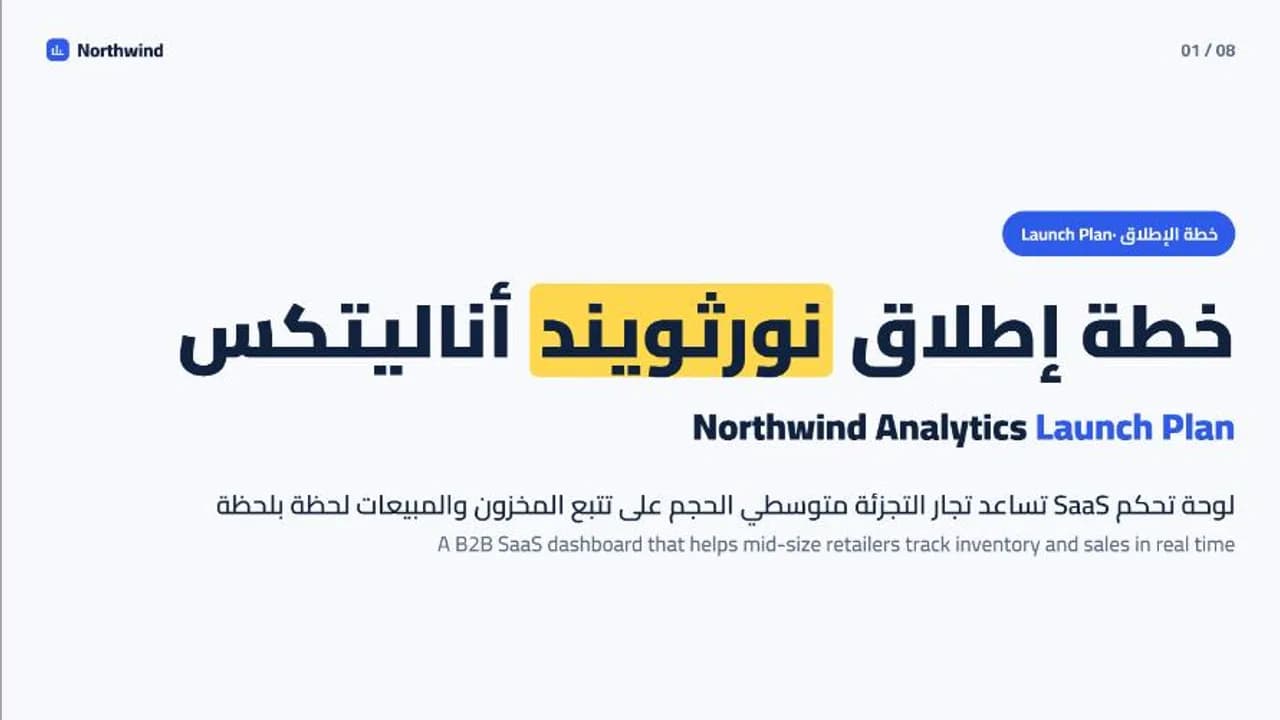
Cover slide from taqreer.ai
Copilot
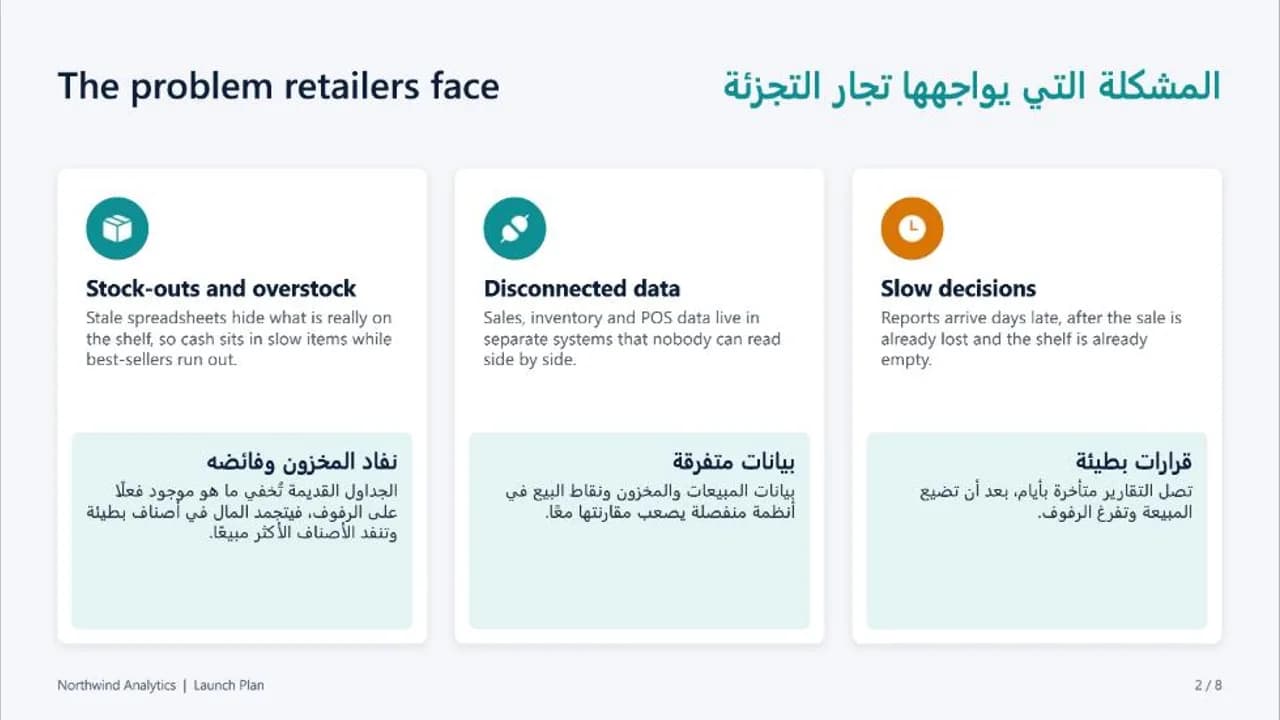
Cover slide from Copilot in PowerPoint

What to notice: Copilot leads with the English title and adds a store photo, with the Arabic under the English. taqreer.ai leads with the Arabic title and keeps the English lines on the same right edge.

The Arabic-only test

We also asked both tools for the same plan in Arabic only. Here are slides from those decks, unedited.

The three-phase slide

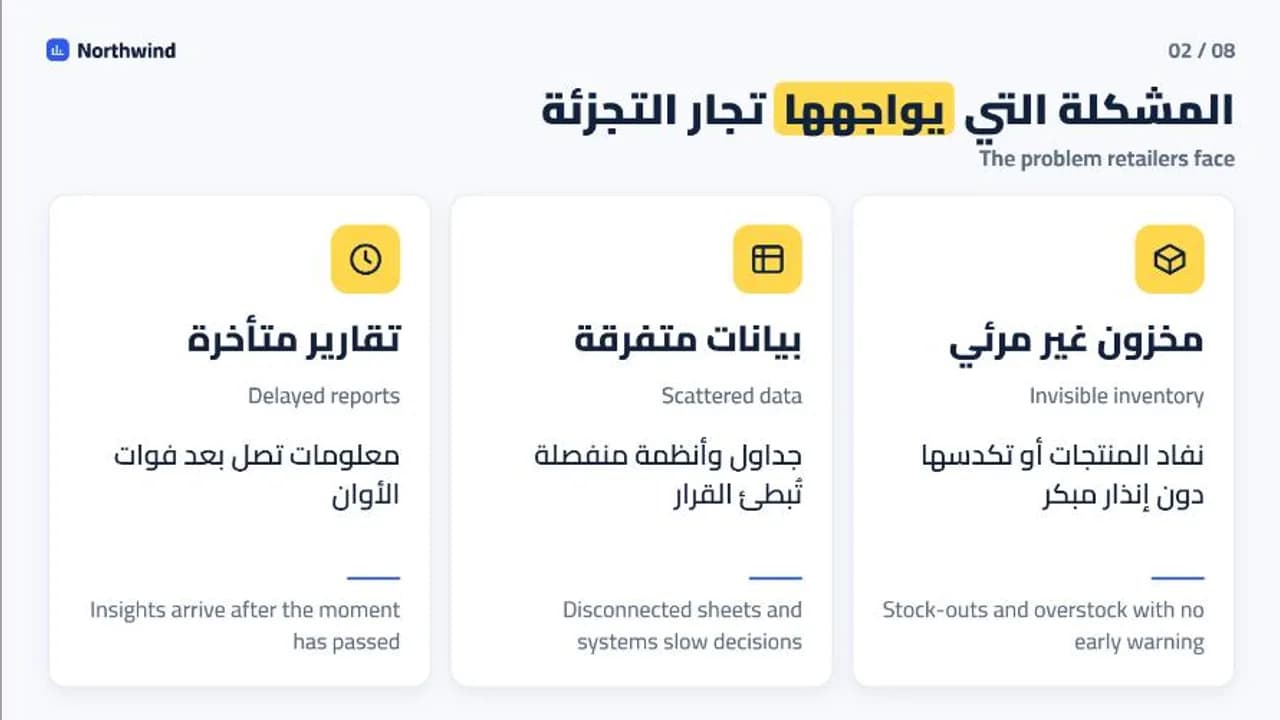
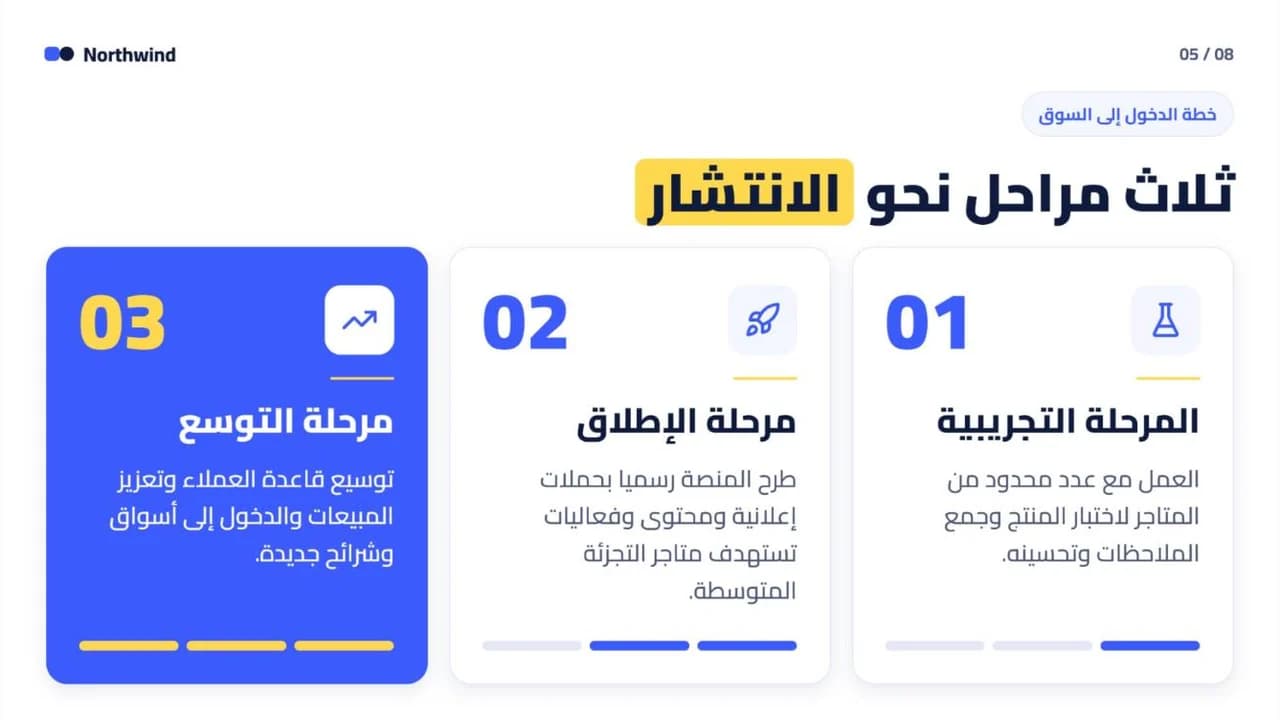
The three-phase slide: a slide from taqreer.ai's Arabic deck
taqreer.aiThe phases run right to left, with ⁦01⁩ on the right. Text is right-aligned and numbers stay ⁦0-9⁩.
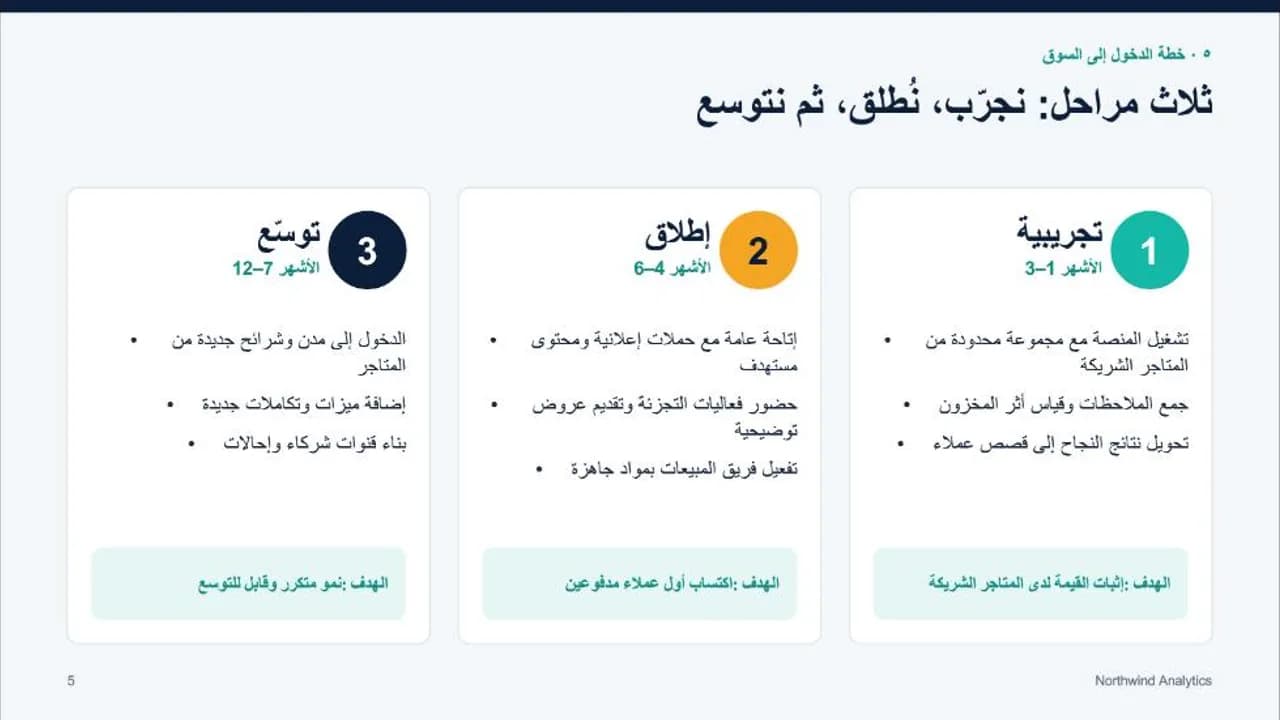
The three-phase slide: a slide from Copilot's Arabic deck
CopilotThe cards run right to left, but every bullet sits at the left end of a right-aligned Arabic line, the layout of an English list. The goal lines also put the colon on the wrong side of the space.

Money figures

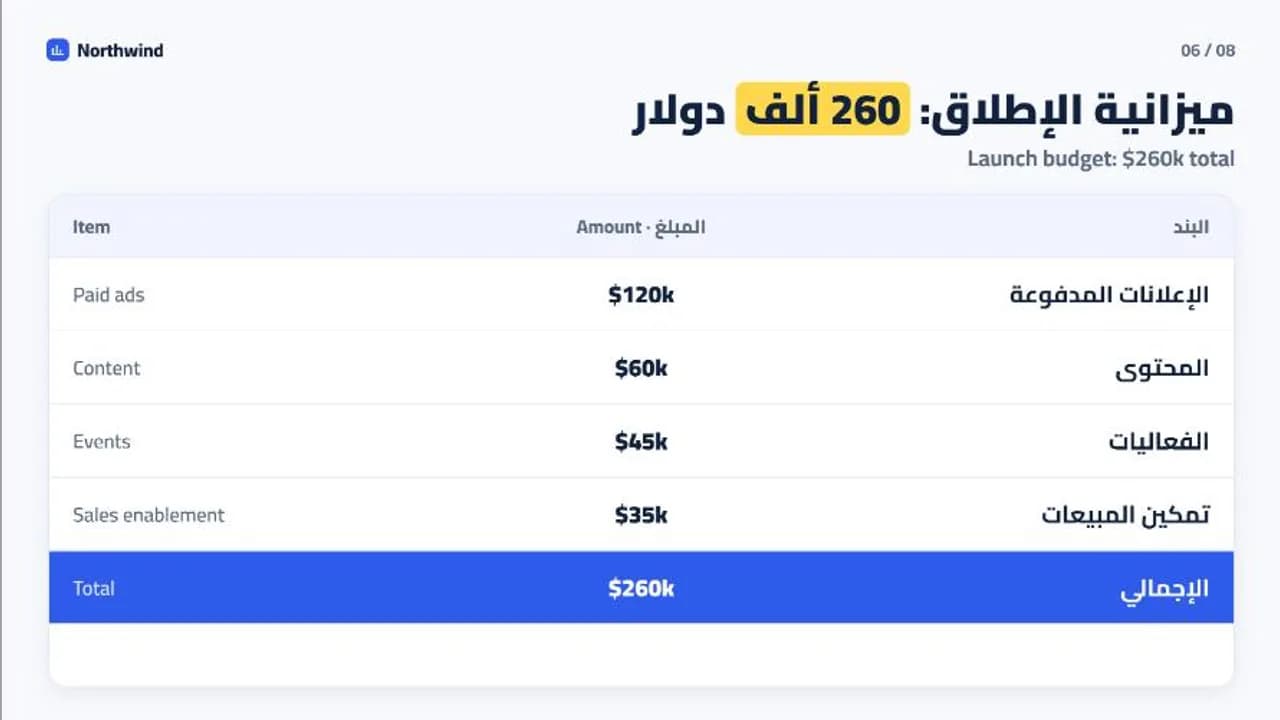
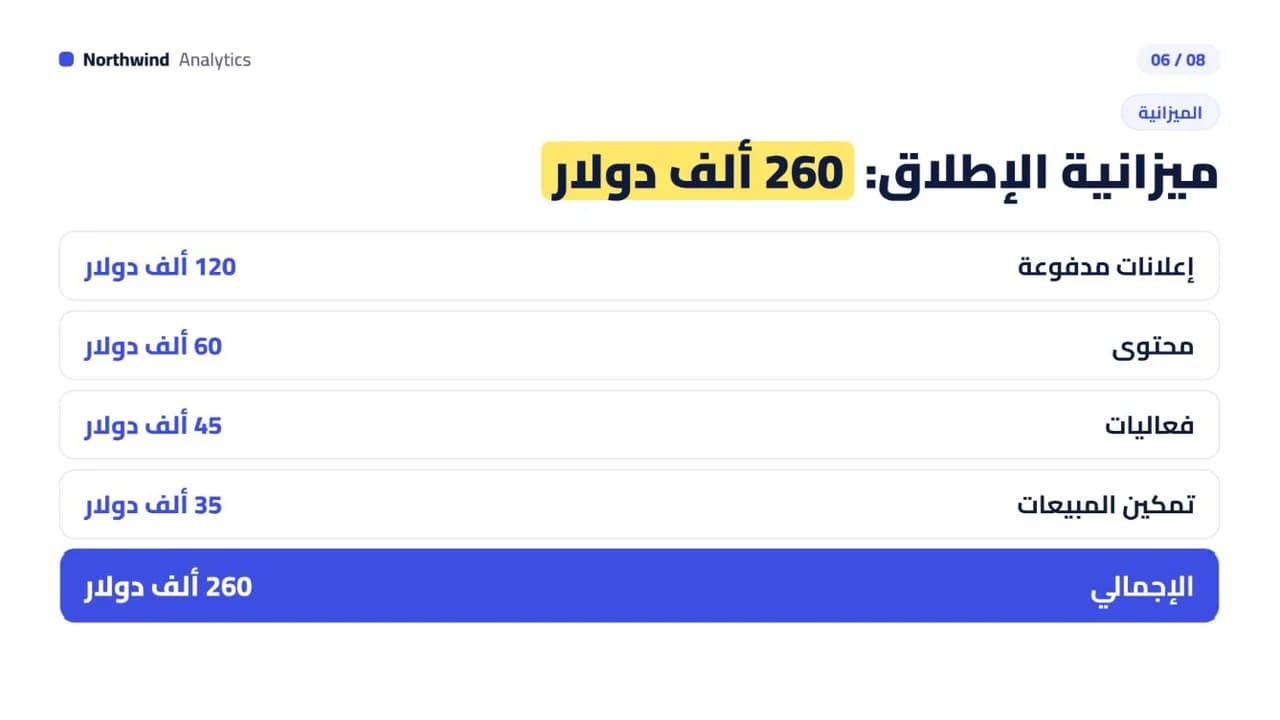
Money figures: a slide from taqreer.ai's Arabic deck
taqreer.aiOn its budget slide, each amount is written in words and reads in order: "⁧120 ألف دولار⁩" (⁦120⁩ thousand dollars).
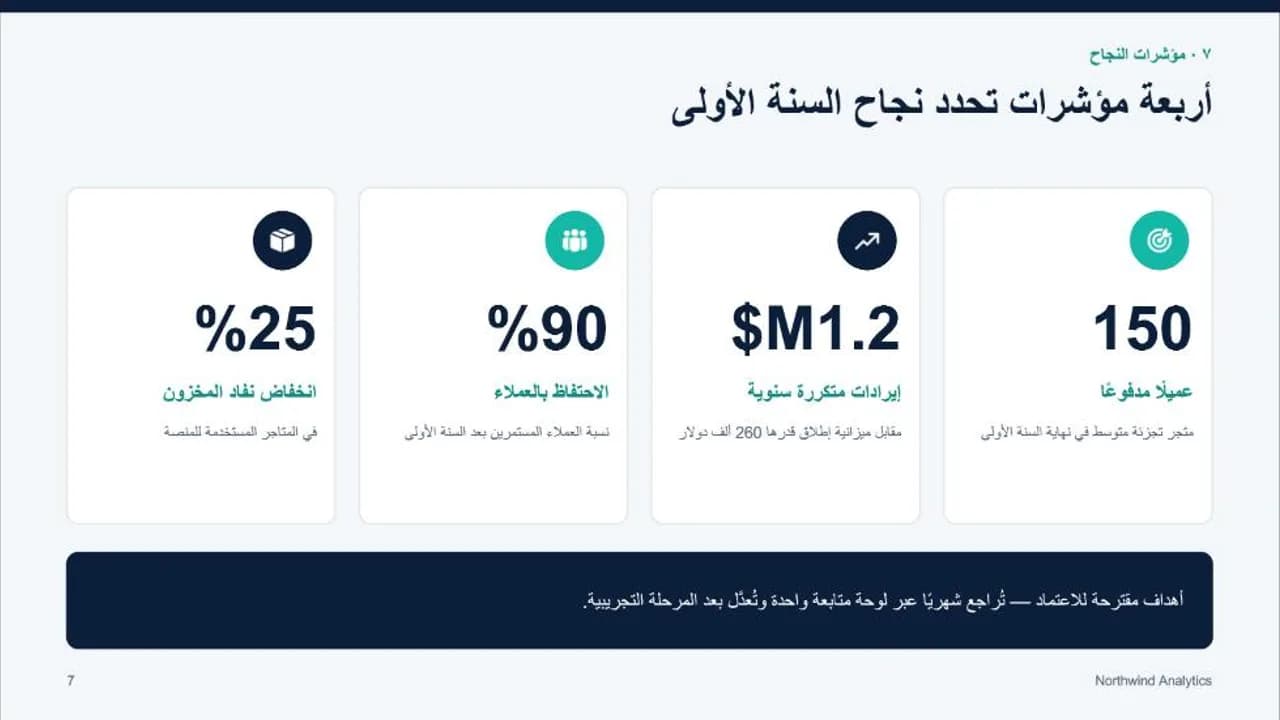
Money figures: a slide from Copilot's Arabic deck
CopilotOn its metrics slide, the ⁦$1.2M⁩ revenue target shows as "⁦$M1.2⁩". The slide label also switches to Arabic-Indic digits while the rest of the deck uses ⁦0-9⁩.

Side by side

What we saw in this test, point by point.

Main language

taqreer.aiArabic leads on every slide; the English follows on the same edge.
CopilotEnglish leads; the Arabic sits in a secondary box.

Amounts in Arabic text

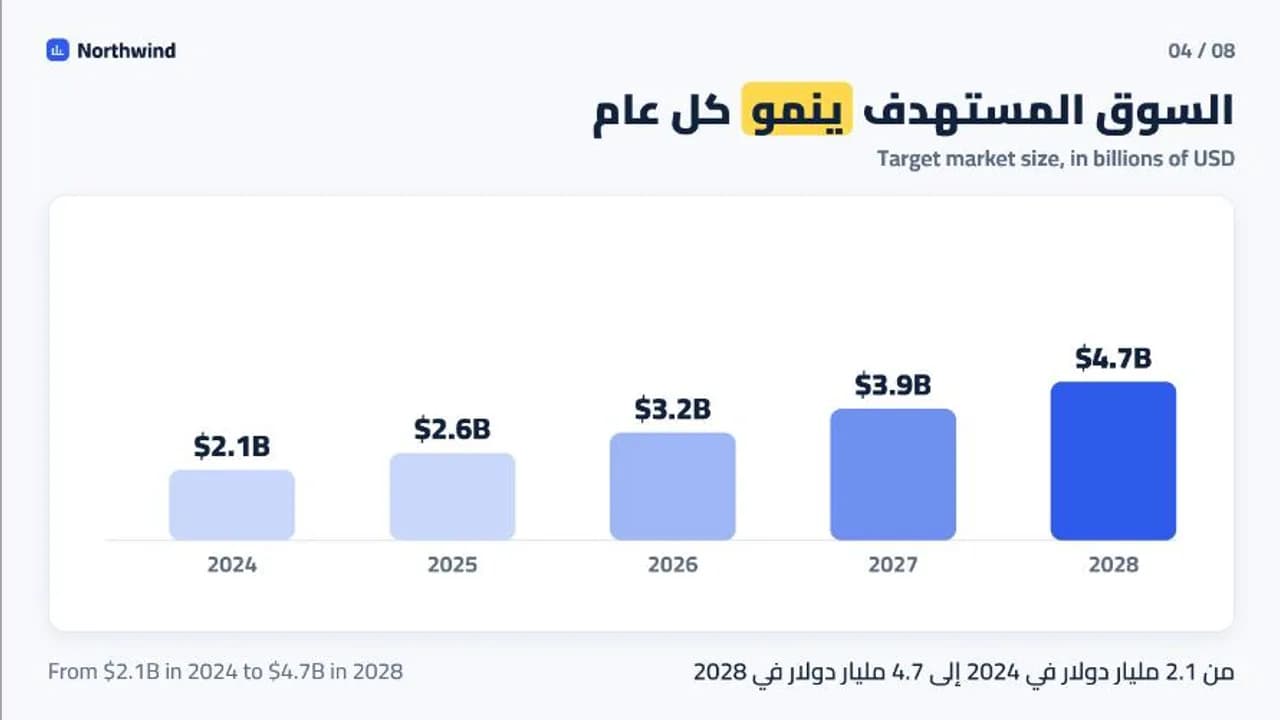
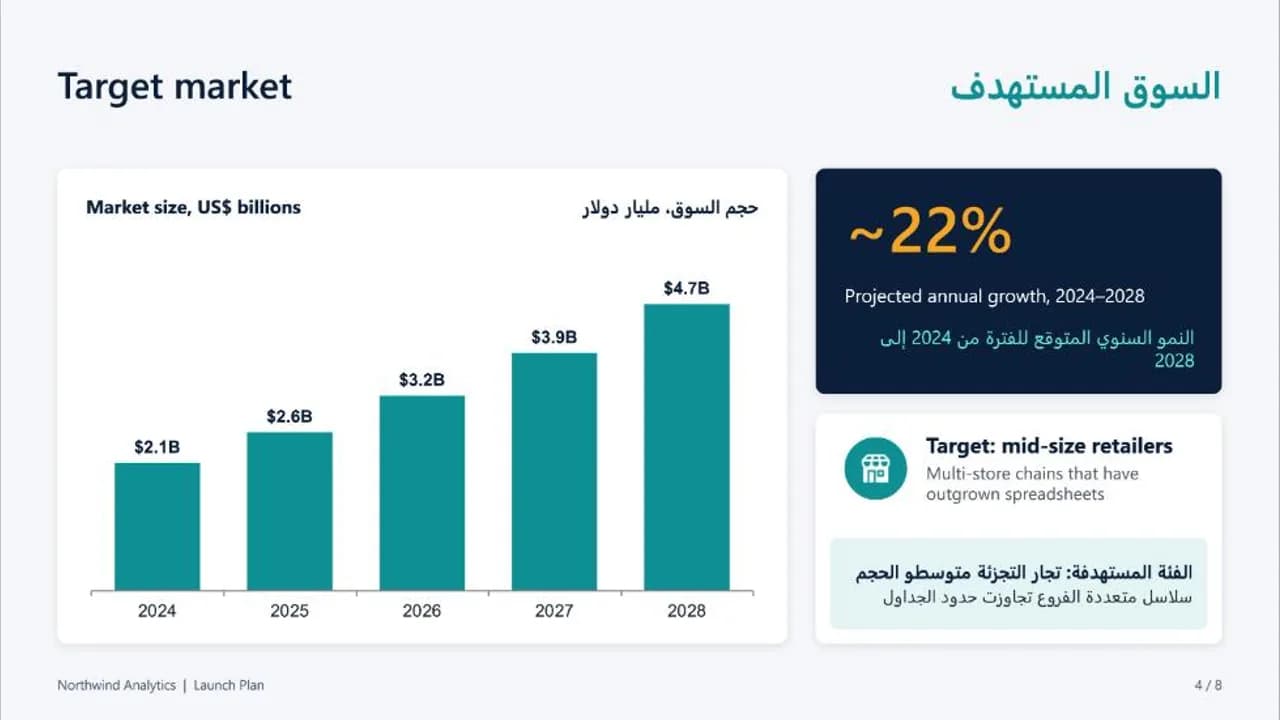
taqreer.aiFigures like $4.7B keep the sign on the correct side, in the chart and the table.
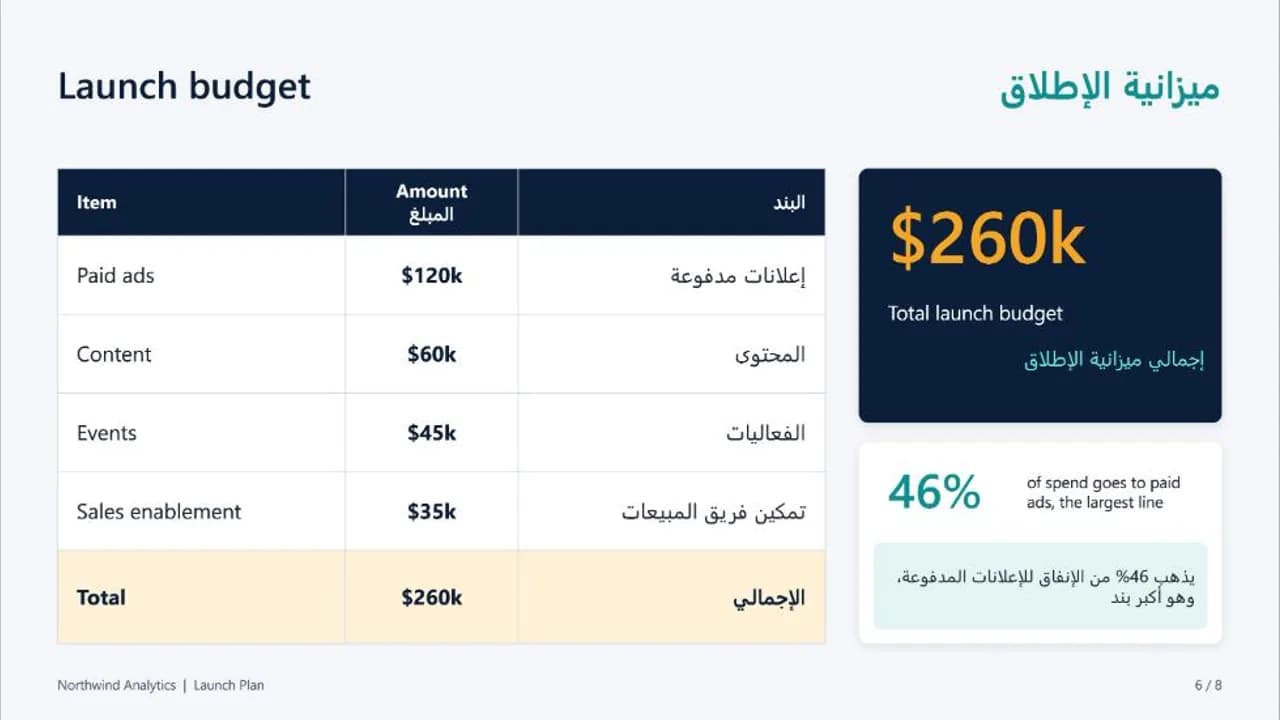
CopilotCorrect in the bilingual deck; the Arabic-only deck showed $M1.2.

Digits

taqreer.ai0-9 throughout the deck.
CopilotMixed in the Arabic-only deck: 0-9 in the content, Arabic-Indic digits in the slide labels.

Arabic lists

taqreer.aiBuilt right to left, so markers sit at the start of each Arabic line.
CopilotIn the Arabic-only deck, bullets sat at the left end of right-aligned lines.

Where you work

taqreer.aiIn the browser, then download an editable PowerPoint.
CopilotInside PowerPoint, with a Microsoft 365 plan that includes Copilot.

How taqreer.ai gets Arabic right

Built for Arabic from the start, not translated into it.

Right to left by default

Every slide is laid out for Arabic first, so alignment, lists and reading order follow the language.

Numbers that stay in order

Amounts, percentages and ranges keep their order inside Arabic sentences.

Arabic and English together

Bilingual slides keep each language on its own side, or stacked on one edge.

An editable PowerPoint

Export to PowerPoint and the Arabic text stays editable and right to left.

Does Copilot in PowerPoint support Arabic?

Microsoft 365 Copilot can build a whole deck inside PowerPoint from a short brief. If you present in Arabic, the question is not whether it can write Arabic, but whether the slides read correctly from right to left. We ran the same brief through Copilot and taqreer.ai in November 2026 and compared the results.

What Copilot does well

Copilot writes Arabic, builds charts and tables, and in our bilingual test it made a clean deck with English and Arabic on every slide. If your team already works in Microsoft 365, mostly in English, it is a strong choice.

Where Arabic breaks

When Arabic is the only language, small right-to-left details slip: bullets on the left of Arabic lines, a revenue figure shown as $M1.2, a colon on the wrong side, and slide labels in a different digit style. A native reader notices these at once, and fixing them by hand takes time on every deck.

Frequently asked questions

Yes, Copilot can write Arabic slides. In our test the bilingual deck was solid, but the Arabic-only deck had right-to-left mistakes in lists, numbers and punctuation.

Explore more

Everything taqreer.ai does, one page each.